|
Introduction
This learning management system mylearningspace was developed in 2012 to initially support the development of on line e-learning cancer modules, which have been specifically designed to support the national training programme for Cancer Registration staff.
The platform has developed over the years to support various areas of National Disease Registration providing portals with restricted access controls in place for specific teams. If you require access to an area please contact MLS site admin.
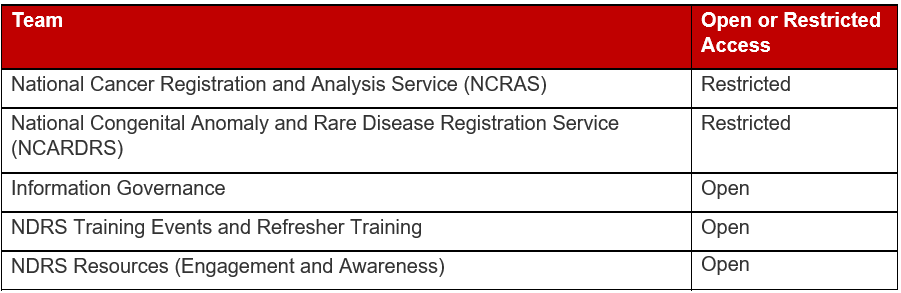
Each area provides resources specific to the individual disciplines:
Home Page
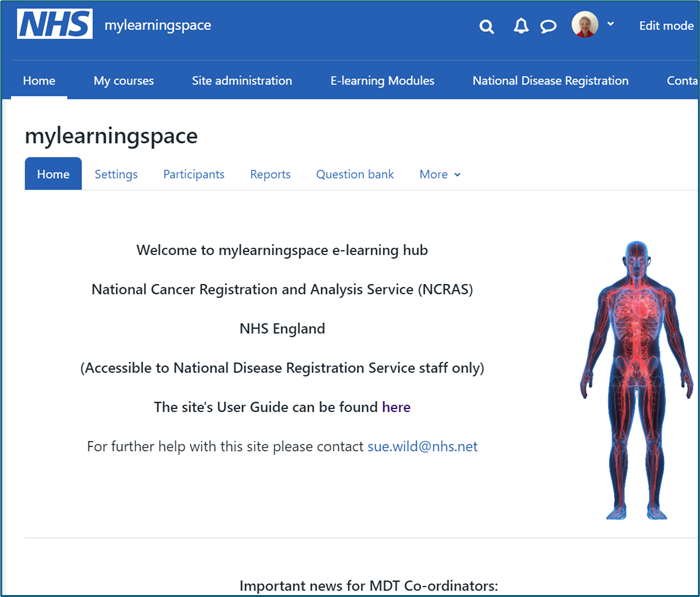
Click on your initials/photo at the top right to you can access and update your personal profile; this is set up for you by the administrator when you are registered onto the portal. You can add a picture and allocate the region where you are based by completing the city/town.
My courses contains the areas of MLS which you have access to. It is an easy navigation tool.
E-learning Modules contains Understanding Cancer e-learning courses designed primarily to support the national training programme for cancer registration staff, however are openly available for all.
Modules include medical terminology, tumour site specific information including anatomy, diagnosis, treatments and much more. You can dip in and out of the learning and achieve a certificate of completion with a final assessment for each with a pass rate of 80% >.
National Disease Registration includes 5 areas:
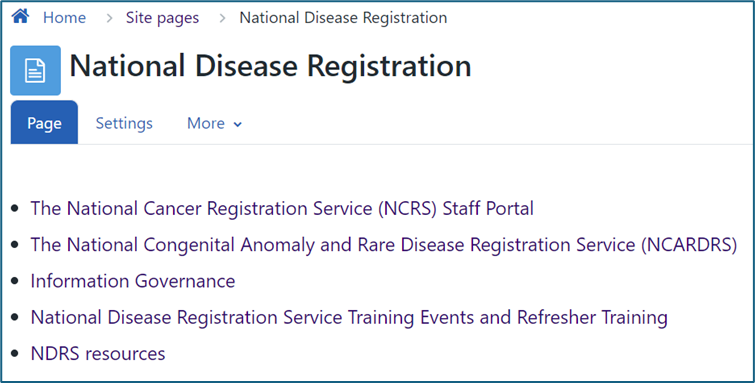
The National Cancer Registration Service Staff Portal
This is the most populated and used portal, supporting the NCRAS staff training and resources. It is a restricted area for NCRAS staff only, however the below table gives an insight to the resources available within the portal for its staff:
|
|
|
Search the site (top of the screen next to the 'bell')
Allows you to search for any word within the staff portal and it will find all documents where that word appears. If it is within a PDF document it will take you to the first page of the document, if you either right click on your mouse or press ctrl find and enter the word it will take you to the exact position the word appears in the document.
|
|
Awareness Updates
This area has been primarily set up to hold updates on training developments and resources felt beneficial to staff including Training Awareness updates
|
|
Cancer Registration Assistant (CRA)
This is a fabulous tool which has helpful hints and tips and flow charts to aid you making decisions when you have a difficult case
|
|
Contact’s
Key contacts lists are held here
|
|
Encore Guidance
This section contains how to use guides, information on the automation project, sprint notes
|
|
ICDO3 Coding Spreadsheets
A spreadsheet version of the ICDO3 coding book with the 2019 updates added. All staff must use online do not print. This document is updated on a regular basis
|
|
Meetings and Minutes
NCRAS Groups include:- Coding Classification, Data loaders, QA, QC, Staging and Training
|
|
Molecular
This area provides resources of contacts, training materials and useful links to online guidance specific to molecular
|
|
Registration Case Studies
Case studies developed on line with instant feedback to staff and a reporting tool for training leads to identify any additional training requirements
|
|
GRAIL
This area provides resources of contacts, training materials and useful links to online guidance specific to the GRAIL project
|
|
Site Specific Guidelines
This holds guidelines for all tumour sites
|
|
Non-site Specific Guidelines
There are various rules and guidelines here from Registration Manual, One Touch processing to therapy and remote access. For full list please access the folder
|
|
Staging Guidelines
All approved guidelines from the staging group (internal use only)
|
|
The Practise
This document has all the latest policy and procedures for changes to coding practice. You can use Ctrl and F to search with words or the pr number if you have it
|
|
Forums
Restricted forums for various groups: training, staging, QC, molecular, GRAIL. They are designed to raise and discuss coding queries prior to releasing any updates or changes to rules to staff
|
|
Performance Management
Guidance on managing performance
|
Information Governance Portal
This currently houses the following documents with open access to all registered to the website:
· IG Contacts list for NDR
· IG Policies and Procedures
· IG supporting documents and forms for NDR
National Disease Registration Service Training Events and Refresher Training
Presentations from the NDR annual training events and national refresher training are held here for all to access
National Congenital Anomaly and Rare Disease Registration Service
This is a restricted area with access to NCARDRS staff only. It contains forums and guidance for processing and coding incoming data, and a set of e-learning modules.
NDRS Resources
The aim is to provide awareness about cancer registration and a better understanding of what we do and how we do it. This is being led by the Strategic Engagement team and is open to all.
How do I use mylearningspace portal?
You can access mylearningspace in one of two ways:
· From a link on the main mylearningspace website www.mylearningspace.me.uk
· By using the direct web address: https://www.mylearningspace.me.uk/moodle
To return to mylearningspace quickly make it a favourite or bookmark in your web browser.
This portal is only accessible to NHSE and certain other national staff who have been registered with an account. If you are a NHSE member of staff and require an account please contact safwaansakib.hussain@nhs.net in the first instance or janine.peck@nhs.net
Below you will find answers to questions you may have when using the portal.
|
1. I have forgotten my password, what do I do?
You can request a new password from the mylearningspace website. Again, on the login box on the frontpage you will see a link called 'Lost Password'. Simply click on this link and follow the instructions. An email will be sent to you asking you to confirm your request for a new password. You must follow the instructions in the email otherwise the system will not send you a new password. This is simply a security measure to stop hackers from stealing account details.
2. I have forgotten my username, what do I do?
You need to email safwaansakib.hussain@nhs.net in the first instance or janine.peck@nhs.net. Please provide your name and surname in the email so we can check your account.
3. Can I change my password?
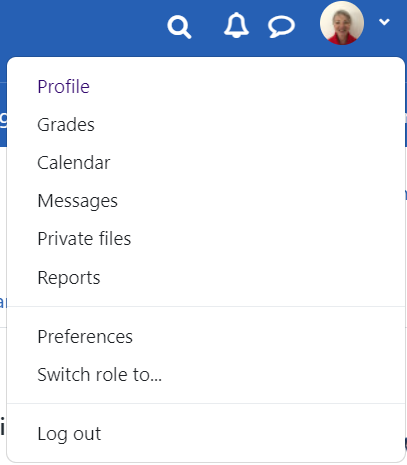
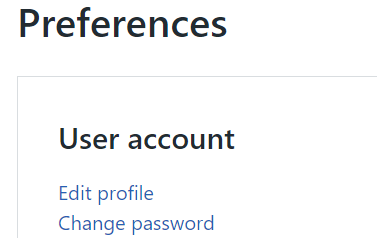
Yes. When you login your name and picture will appear in the far top right of the screen see above. Click on the drop down arrow and select Preferences, the following screen will be displayed:
|
|
Simply click on "Change Password" under the "User Account" add your current password and add new password twice and save changes
|
|
5. Using your User account “Edit profile”
The profile allows you to change your password, your email address, update your city or country, add a photo or picture to your account, add a description of yourself and your interests as well. We recommend that you have a look at your profile and fill out the various sections. Not all are compulsory so you do not have to fill them in if you don't want to. To update your details simply click on the "Edit profile" tab, which you can see in the screenshot above.
|
|
6. How do I navigate the site?
|
|
6.1 Main Menu -
The Main Menu contains the most important links on the site.
|
| |
|
6.2 Navigation
We have tried to keep the design of mylearningspace simple so most resources or external links will open in a separate window, once viewed these can be closed and the home page will still be there.
If you take a link to one of our courses or resources sections then these will open in place of the home page. To navigate your way back it is better not to use the "back" button on your browser, instead use the breadcrumb trail which appears at the top of the item.
An example breadcrumb trail is shown below:

|
|